Your Store in 10 Minutes
This is a timed launch plan for your telegram shop in minutes, not days: template, catalog, payments and the first test order — with every screen shown. Competitors promise "a store in 15 minutes" with no proof; here the timer on this page and the screenshots in each step are the proof. Follow it once, end to end, and you will have a working store before your coffee gets cold.
Before you start (2 items)
Two things decide whether the ten minutes are real:
- Know what you sell. Have 5–15 products ready: names, prices, and one photo each. The clock does not pause for decisions you should have made yesterday.
- The phone you take payments on. A Telegram account and the device where payment notifications will land. No code, no card, no domain — nothing else is required.
A note on the promise itself, because honesty is the differentiator here: the ten minutes cover the launch — template, catalog, payments decision, test order, share. They do not cover growing the channel or shipping the first hundred orders; those are separate disciplines, and the guide linked at the end of this page covers them. What the ten minutes do give you is a real store that real buyers can order from today, not a landing page that says "coming soon".
Minutes 0-2: template and name
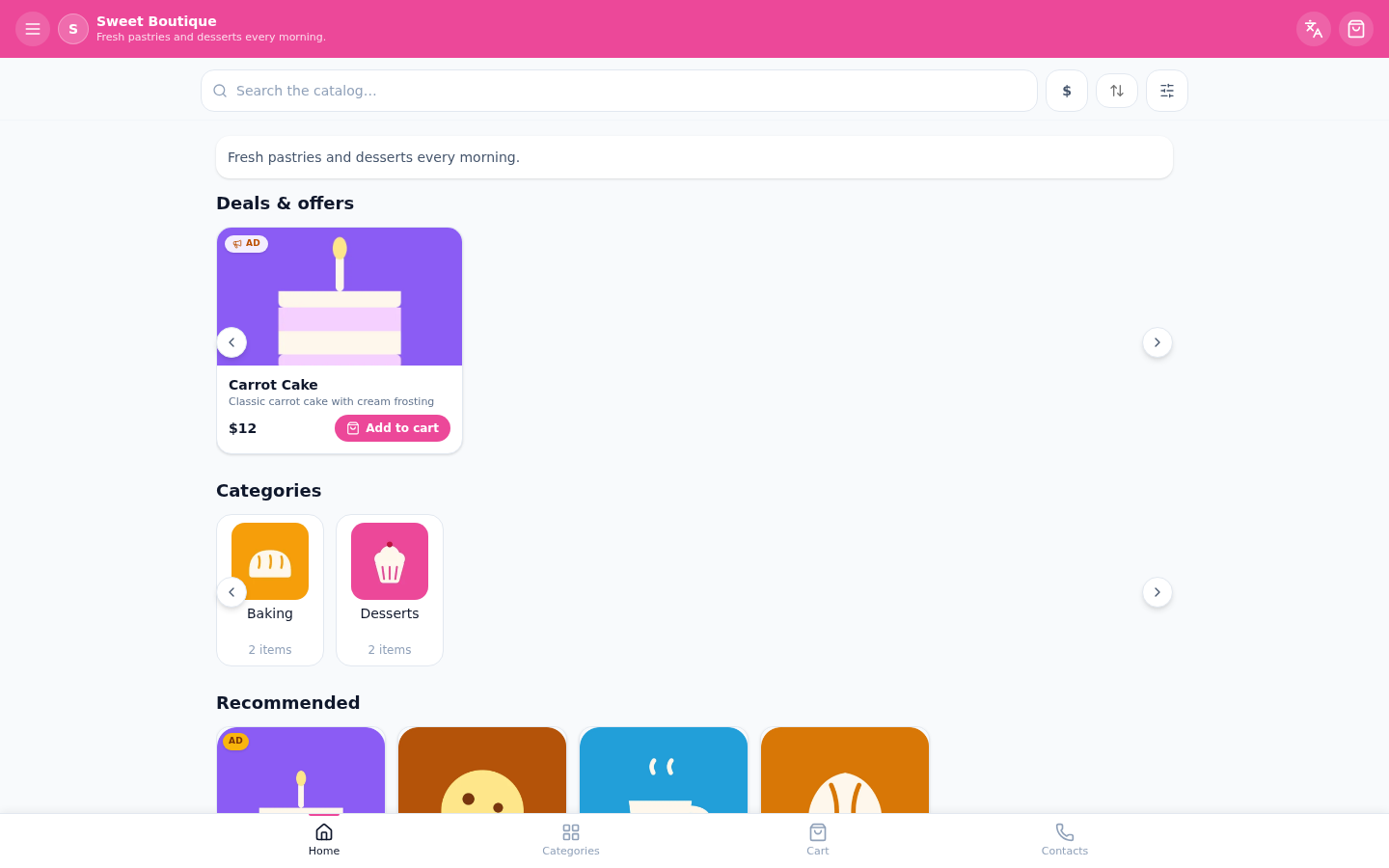
Register in the builder — it takes under a minute: name, email, password, and you are inside the cabinet. Create a shop, give it the name buyers will see, and pick a theme color. The storefront is generated from these two choices; everything later is filling, not building.
The name rule that saves re-dos later: write the shop name exactly as buyers say it out loud — the name appears in the storefront header, in order confirmations and in the browser tab when the store is installed as an app. The theme color is the one aesthetic decision at this step; it colors the storefront buttons and highlights, and you can change it later without touching anything else.
Minutes 2-5: catalog
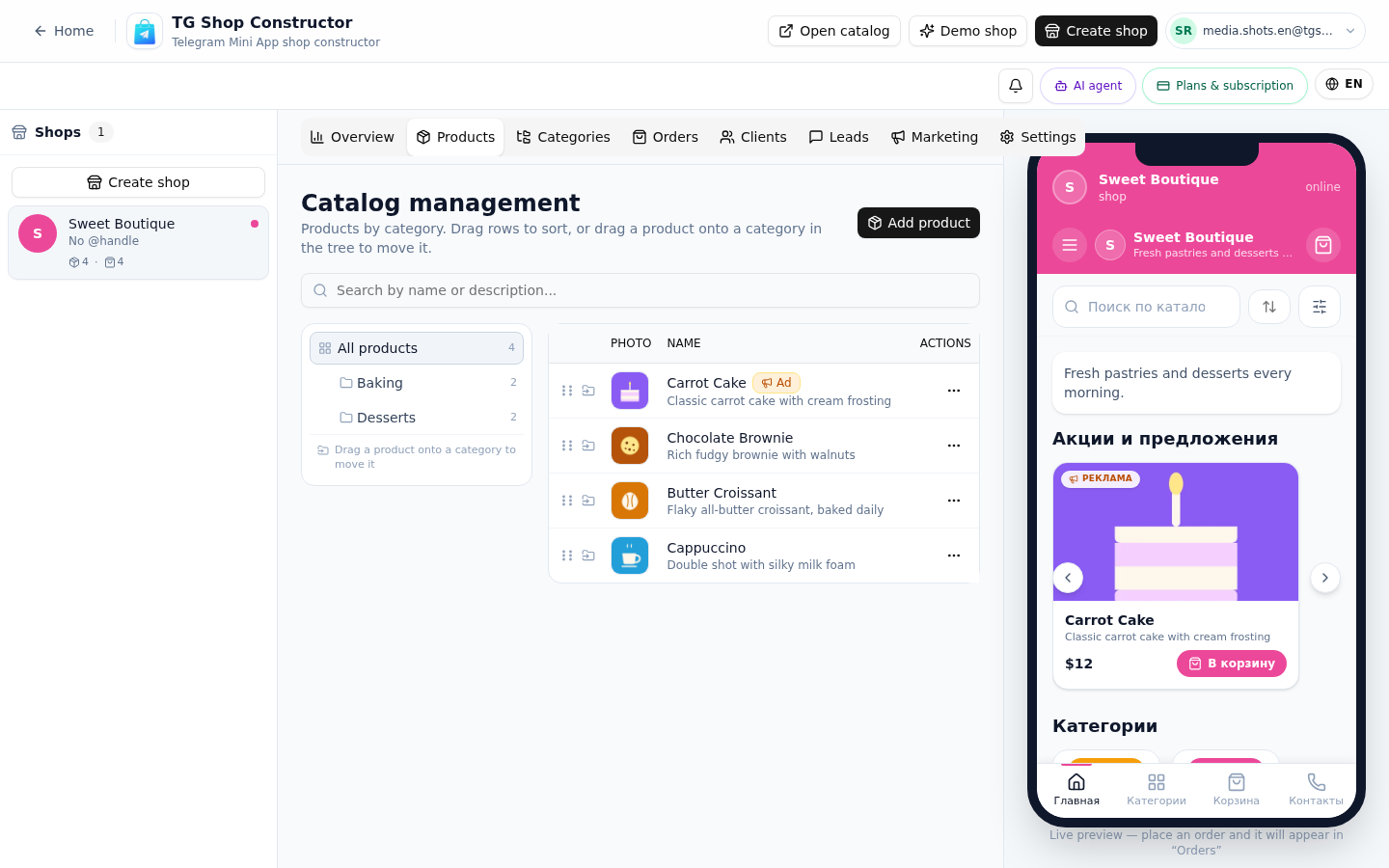
Open products and add them one by one: photo, name, price. The dialog is one screen — no fields you do not need. Group the products into two or three categories so buyers scan instead of scrolling; the free plan holds up to 15 products, which is exactly the honest size for a validation store.
Why fifteen is a feature and not a limitation: a focused catalog forces the decision every new seller avoids — what do you actually sell best? Fifteen slots are enough to cover a niche, small enough that nothing sits unnoticed. Sellers who launch with a hundred products answer buyer questions all day; sellers who launch with ten answer orders.
Minutes 5-8: payments
Decide how you take money. Digital goods — Telegram Stars. Physical goods — a card provider. Both can wait: the fastest start is manual marking, where you agree on payment with the buyer and mark the order paid by hand. Connect the proper rails after the first repeat orders; the telegram shop bot builder works with all of them, and the order feed stays the same.
Minutes 8-10: test order and share
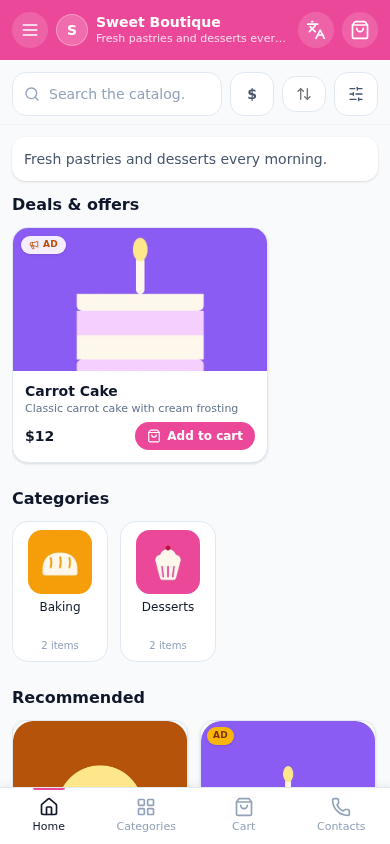
Open your own storefront link and place a test order — the one every seller skips and every seller regrets skipping. Check that the order lands in the cabinet feed with the buyer's note and the total. Then share the link in your channel or chat with one honest line about what you sell. That message is the launch.
The share message writes itself in one sentence: what it is, for whom, and the link. "Fresh coffee beans from a local roaster — order in two taps:" beats a paragraph of history. The storefront does the selling; your post is just the door.
Checklist
Run down the list once before announcing anything — the same items the PDF version prints:
- Shop created, theme color picked, name spelled the way buyers say it
- Products added: photo, name, price — 5 to 15 items
- Categories group the catalog into 2–3 scannable sections
- Test order placed from a second account and visible in the cabinet
- Storefront link posted with one clear line about what you sell
- Answer routine agreed: orders answered within minutes, not hours
Print version: download the launch checklist (PDF) — one page, same steps, space for notes.
Honest limits, so the timer stays honest too: the free plan is one store with up to 15 products, no credit card, no trial timer. The store keeps working when you hit the cap; you upgrade only to add more products or more stores. For everything around the launch — what to sell, how to get the first hundred customers — the flagship guide continues where this page ends: how to sell on Telegram. The no-code builder tour shows every screen you will touch in those ten minutes. Start now on the free plan and let the timer judge us.
Honesty timer
Start it and build along — see if you really fit in 10 minutes.
FAQ
Related pages
Create your Telegram shop in 10 minutes
Free plan, no credit card. Add products, share the link in your channel and take orders.
Start for free