Product Catalog for Telegram Stores
A telegram catalog bot replaces the pinned-messages mess that passes for a shop in most channels: products live in a structured catalog with categories, prices, photos and stock — searchable, filterable and always current, inside the messenger the buyer already has open. This page covers how the catalog works here and what a catalog-first seller should check before launching.
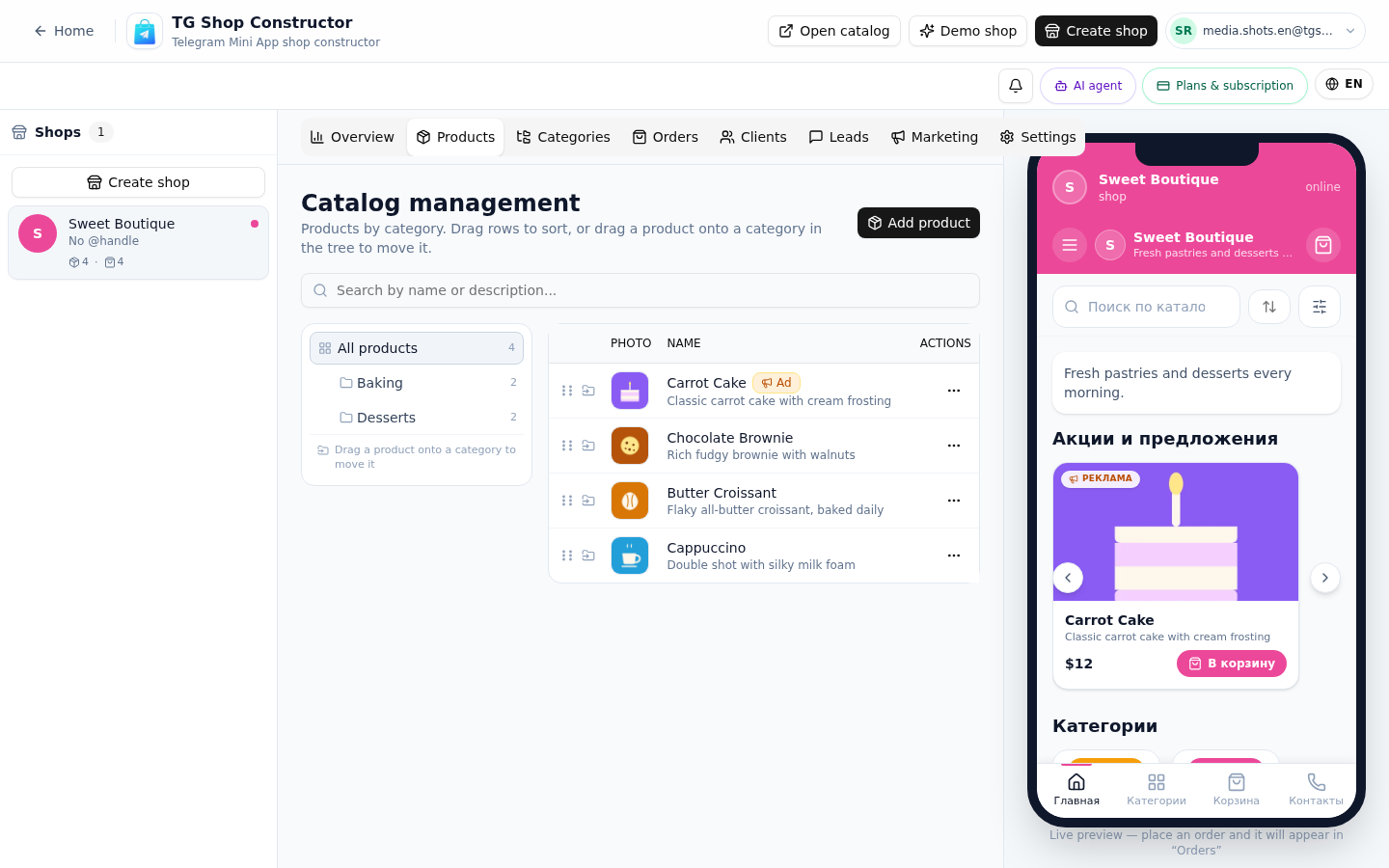
Catalog structure: categories and cards
The catalog is a two-level tree: categories become the storefront's navigation, and product cards fill them. A card carries:
- Name, price and description — the basics, edited in a visual form with a live preview.
- Up to five photos — the first becomes the cover; the gallery opens full-size in the storefront.
- Variants — "Size: XL, +200 ₽": options with their own price deltas, ordered per product. The chosen variant is snapshotted into the order, so later edits to the variant list never rewrite past orders.
- Stock tracking — optional. Track remaining units (with a low-stock alert when fewer than three are left) or switch it off entirely for made-to-order and digital goods.
- A promo flag — featured products rotate in the first screen's banner carousel.
The structure is deliberately boring: no nested subcategories five levels deep, no attribute schemas to configure before your first product. Clothing stores — the most variant-hungry niche — run on exactly this model: one category per product line, sizes and colors as variants.
Search inside the bot
The storefront ships with a real search box, not a "press /3 to browse" teleprompter:
- Live search over product names and descriptions, debounced as the buyer types.
- Sorting — by price, by novelty — and category filters alongside it.
- Price range filters for window-shoppers with a budget.
- Shareable URLs — every search, filter and sort state is encoded in the storefront link, so "here, I filtered it to hoodies under 5 000 ₽" is a link you can send in one chat message.
Search matters more in Telegram than on a website: buyers open the storefront mid-conversation, with a specific question. A catalog that cannot be searched turns the bot into a channel with extra steps — the telegram shop bot page describes the full buyer journey from the catalog to checkout.
Adding products: by hand today, CSV on the roadmap
Honest status: there is no CSV/YML import in the product today. Products are added one by one in the visual editor — a plain card takes under a minute, a variant-heavy one perhaps three. For the free plan's fifteen products that is a single sitting; for a Pro-tier catalog of a hundred and fifty, an afternoon with coffee.
Bulk import (CSV, and the YML format the RU market expects) is on the roadmap. The editor's advice for sellers migrating a large existing assortment: start with the twenty products that actually sell, launch, and backfill the long tail while orders arrive — the same lean-launch pattern the launch guide teaches.
When the catalog outgrows the free plan's fifteen products, the upgrade raises the ceiling without touching the storefront — buyers never see a difference. Payments connect per product in the same editor, and the payment gateway page walks that screen in detail.
Live demo
Pricing
Старт
Free
- 1 магазин и до 15 товаров
- Конструктор каталога с категориями
- Витрина-ссылка для Telegram-канала
- Приём заказов и корзина
- Тестовая оплата (мок)
Pro
690 ₽/mo
- 3 магазина и до 150 товаров
- Онлайн-оплата: Stripe и ЮKassa
- Электронные чеки с юр. данными
- Галереи до 5 фото у товара
- Канбан заказов и статусы доставки
Бизнес
1,490 ₽/mo
- Неограниченные магазины
- До 1000 товаров
- Всё из тарифа Pro
- Расширенная аналитика продаж
- ИИ-ассистент на витрине
All plans include the catalog, orders and a PWA storefront.
FAQ
Related pages
Create your Telegram shop in 10 minutes
Free plan, no credit card. Add products, share the link in your channel and take orders.
Start for free