Service Booking on Telegram
An appointment booking telegram bot usually enters a service business through the no-show problem: the client who booked, confirmed, and ghosted — the slot that was sold twice, once to nobody. This page covers how service sellers run on this platform today: the service catalog, deposits that make appointments real, and the order flow that replaces the notebook — with an honest map of what is roadmap and what is live.
What runs today: services as products
The live mechanics for a service business — a salon, a tutor, a consultant, a photographer:
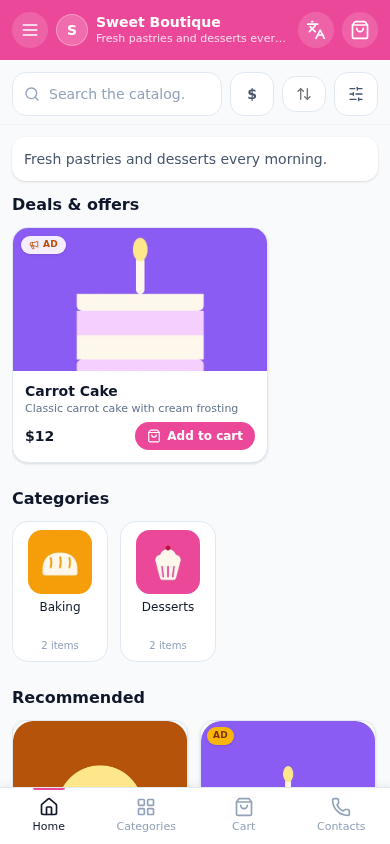
- The service catalog: each service is a product card — name, duration and price in the description, photos of the work, the variant options that change the price ("Long version +500 ₽"). Categories split master/service lines.
- Deposits that cut no-shows — the core of the page. The service is priced as a deposit (the full price or its honest fraction); the buyer pays at booking through Stars or a card rail; your calendar slot is backed by real money before you hold it. A no-show costs the deposit, not the afternoon.
- The order flow as the booking record: buyer checks out with preferred time in the order notes → the order lands in your cabinet with their contact and the paid status → you confirm the slot in chat. The receipt link is the booking reference the client keeps.
- Both rails per service type: in-chat consultations and digital deliverables run on Stars; physical services (the salon chair) run on card/local rails — per product, one settings screen.
What is on the roadmap, stated plainly: an in-bot calendar with visible slots, automatic confirmations and reminder pushes. Today the platform is the commerce layer (catalog, deposit, order, receipt) and the chat is the scheduling layer — which, for a solo master with a phone in their pocket, is exactly the division of labor that already works.
Reminders that cut no-shows
The honest arsenal against the ghosted slot:
- The deposit — economics first. A backed slot forgives a forgotten one; a free slot does not. This single change moves no-show rates more than any reminder ever will.
- The receipt link — the client's booking reference, in their pocket, re-openable. The order, the price, the deposit paid: the thing reminder messages point back to.
- The chat channel — broadcast the day's schedule note or the "few slots left this week" post; the channel post is the reminder that also sells the empty slots.
- The personal message — the night-before confirmation in chat, one line, human. Service is a relationship business; the platform keeps the record, the seller keeps the relationship.
Automatic scheduled reminder pushes are on the roadmap with the calendar; the four mechanics above run today.
Deposits via Stars or card
The pricing patterns that work for deposits, per service:
| Service | Deposit pattern | Rail |
|---|---|---|
| Consultation (in-chat) | full price at booking | Stars |
| Salon appointment | 30–50% at booking, rest in chair | card/local |
| Photographer (session) | fixed booking fee | card/local |
| Tutor (block of lessons) | first lesson at booking | Stars or card |
The rule of thumb: size the deposit to the true cost of a no-show — the master's idle hour — and let the receipt link document it. Payment mechanics per rail are on the payment methods hub; the courses page covers the cohort-and-block patterns in detail.
The honest fit and the cases
Where it fits today: solo masters and small studios whose booking volume is a phone-screen a day — the deposit solves the expensive problem, the catalog does the selling, the cabinet keeps the records. The free plan holds a real service menu (15 services is a salon's full price list).
Where it does not fit yet: a clinic needing per-doctor slot inventories, automatic reminders and calendar sync should wait for the roadmap — or run the platform for deposits and payments alongside their existing scheduler, which more than one studio does honestly.
The compression of the whole page: sell the service, take the deposit, confirm in chat, keep the receipt. The no-show pays for the no-show — and the calendar features arrive to a business that already works without them.
Live demo
FAQ
Related pages
Create your Telegram shop in 10 minutes
Free plan, no credit card. Add products, share the link in your channel and take orders.
Start for free